

TL;DR:
- HMRC’s Trust Registration Service mandates UK trusts to register online within specific deadlines to avoid penalties. Proper preparation, separate Gateway accounts, and timely updates are essential for ongoing compliance and accurate record management. Engaging professional agents can simplify the process and help trustees navigate technical challenges effectively.
The Trust Registration Service (TRS) is HMRC’s mandatory online register for UK trusts, and getting it wrong carries real consequences. Late or inaccurate registrations can trigger penalties of up to £5,000, though first offences may be waived if genuinely inadvertent. With 835,000 trusts registered and open on the TRS by March 2025, compliance activity is growing fast. This guide covers the trust registration process UK trustees must follow: from determining whether your trust qualifies, through preparing documents, completing the online steps, and managing your record once it is live.
Table of Contents
- Key takeaways
- Does your trust need to register?
- What to prepare before you start
- Completing the online registration
- Managing your trust record after registration
- Common problems and how to handle them
- What I have learned from working through the TRS
- Get structured guidance from Blackbookprotocol
- FAQ
Key takeaways
| Point | Details |
|---|---|
| Most express trusts must register | Since October 2020, most UK express trusts require TRS registration regardless of tax liability. |
| 90-day registration window | Trustees must register within 90 days of the trust becoming liable for tax or being created. |
| Separate Gateway accounts required | Each trust needs its own Government Gateway user ID; sharing accounts across trusts creates compliance gaps. |
| Proof of Registration matters | Download and verify your PDF immediately after registration, as banks and solicitors will request it. |
| Agents can act on your behalf | A professional agent can register a trust on your behalf using a Government Gateway agent services account. |
Does your trust need to register?
Understanding the scope of the TRS is the first practical step. The rules expanded significantly in October 2020 and catch many trusts that trustees do not expect.
Registerable trusts fall into two categories:
- Taxable express trusts. These have existed since the TRS launched and must register when the trust incurs a UK tax liability, such as income tax, capital gains tax, inheritance tax, stamp duty land tax, or stamp duty reserve tax.
- Non-taxable express trusts. Since October 2020, most express trusts must register even without any current tax liability. This change was introduced to improve transparency and combat money laundering across the UK trust register.
Trusts generally exempt from registration include:
- Trusts used to hold life insurance policies that pay out on death or critical illness, provided they do not hold any other assets
- Charitable trusts registered with a charity regulator in the UK
- Pension scheme trusts regulated by the Financial Conduct Authority or the Pensions Regulator
- Certain co-ownership trusts where the legal and beneficial owners are identical
Deadlines follow a clear pattern. New taxable trusts must register within 90 days of becoming liable for tax. Non-taxable trusts created after 1 September 2022 must also register within 90 days. Trusts that existed before that date and had not previously registered were required to register by 1 September 2022. Non-UK trusts can fall within scope if they have UK assets or UK-resident trustees, so the reach of the TRS registration process extends beyond purely domestic arrangements.
Pro Tip: If you are unsure whether your trust is exempt, treat it as registerable and seek professional advice before assuming it falls outside the TRS scope. The cost of an unnecessary registration is minimal compared to the penalty risk of a missed one.
What to prepare before you start
Preparation before logging into the TRS saves considerable time and reduces the chance of errors mid-registration. The system does not allow you to save partial progress easily, so assembling everything in advance is worth the effort.
The table below sets out the core information categories you will need:
| Information category | Specific details required |
|---|---|
| Trust details | Trust name, date of creation, governing law, type of trust |
| Settlor | Full name, date of birth, National Insurance number or passport details, date of death if deceased |
| Trustees | Full name, address, date of birth, National Insurance number or passport for each trustee |
| Beneficiaries | Names, dates of birth, and identity details for named beneficiaries; class descriptions where beneficiaries are unspecified |
| Assets | Description and value of trust assets at the time of registration |
Registration requires identity verification data including National Insurance numbers or passport information for all individual beneficial owners, and you must confirm whether any beneficial owner lacks mental capacity, which triggers a data exemption.

Every trust requires its own Government Gateway user ID. Maintaining separate user IDs for each trust is mandatory, and trustee teams that share credentials across multiple trusts create serious compliance gaps down the line.
You will need to designate a lead trustee. This is the individual who holds the Government Gateway account and takes primary responsibility for the TRS record. Choosing someone with reliable digital access is not optional; it directly affects your ability to meet ongoing obligations. Digitally excluded trustees can face real difficulties with the online system, so if no trustee is comfortable with digital services, appointing a professional agent is the practical solution. Agents must register separately and verify their authority before they can access or register a trust on the TRS.
Pro Tip: Gather the settlor’s details even if they are deceased. This is one of the most common gaps trustees encounter, and missing settlor information affects the completeness of your Proof of Registration PDF.
Completing the online registration
Once your information is assembled, the registration process itself follows a structured sequence on GOV.UK.
Steps to register a trust on the TRS:
- Go to the GOV.UK Trust Registration Service portal and sign in with the trust’s dedicated Government Gateway user ID. If one does not exist, create a new account specifically for this trust, not a personal account.
- Select “Register a trust” and confirm whether the trust is taxable or non-taxable. This selection determines which data fields you will be required to complete.
- Enter the trust details: name, date of creation, and governing law. Use the exact name as it appears in the trust deed.
- Input settlor information. If the settlor is deceased, you still need to provide their full name, date of birth, and date of death.
- Add all trustees one by one, providing the required identity verification details for each individual trustee.
- Enter beneficiary information. For discretionary trusts with a class of beneficiaries, provide a clear written description of who falls within that class.
- Declare the trust assets, including a brief description and estimated value at the time you are completing the registration.
- Review all entries carefully before submitting. Errors at this stage create correction work later and can flag compliance issues with HMRC.
- Submit the registration and immediately download your Unique Taxpayer Reference (UTR) or Trust Registration Service unique reference number.
Common interface pitfalls to watch for:
- The system times out after a period of inactivity. Prepare all information in a document before entering it to avoid losing progress.
- Autocomplete features on browsers can populate incorrect data in address or name fields. Turn off autocomplete or check each entry manually.
- If you are registering as an agent, you must use your agent services account, not the trustee’s personal Gateway login. Mixing these accounts causes access problems that require HMRC intervention to resolve.
- The TRS does not send automatic confirmation emails in all cases. Log back in after submission to confirm the registration status shows as complete.
A thorough UK trust law compliance checklist can help you cross-reference your submitted data against legal requirements before and after the registration.
Managing your trust record after registration
Registration is not a one-time task. Trustees have ongoing obligations to keep the TRS record current and accurate, and the consequences of neglecting this are identical to failing to register in the first place.
Key ongoing obligations include:
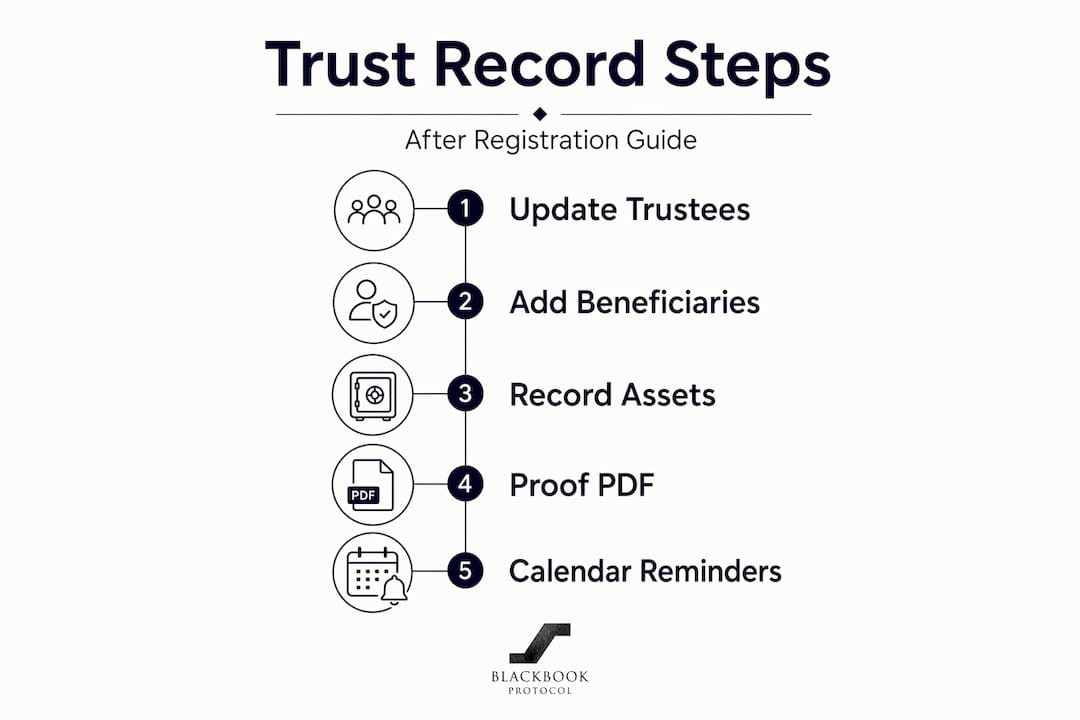
- Changes to trust details. Any change to trustee information, beneficiary details, or trust assets must be updated on the TRS within 90 days of the change occurring.
- Annual declarations for taxable trusts. If your trust has a tax liability, you must confirm each year that the registered information remains accurate. Deadlines align with the self-assessment tax year, typically by 31 January following the relevant tax year.
- Proof of Registration. Download and store this PDF securely immediately after registration. Banks, solicitors, and other financial institutions will request it as part of their due diligence processes.
- Closing the trust. When a trust is wound up, you must update the TRS to reflect this. Leaving a closed trust showing as active on the register is an error in itself.
In practice, delays often arise when third-party institutions require the Proof of Registration PDF and find it incomplete. Verifying your document for completeness immediately after registration, rather than waiting until a bank asks for it, removes a common bottleneck. The trust review process for high-net-worth clients follows this same principle: periodic checks prevent problems from compounding.
Pro Tip: Set a recurring calendar reminder 80 days after any trustee appointment, beneficiary change, or asset addition. This gives you a 10-day buffer before the 90-day update deadline.
Common problems and how to handle them
Even well-prepared trustees encounter specific friction points in the TRS process. Knowing what they are in advance puts you in a much stronger position.
Frequent issues and their resolutions:
- Missing settlor information on the Proof of Registration. GOV.UK advises contacting HMRC directly if this occurs. There is a specific help route for this known service issue.
- Locked or inaccessible Government Gateway accounts. Contact HMRC’s trust helpline. Do not create a new account to work around the problem, as this creates duplicate registration issues.
- Agent authority not recognised. Ensure the agent has set up a formal agent services account and that the trustee has authorised the agent through the correct process within GOV.UK. Informal arrangements do not satisfy the TRS verification requirements.
- Penalty notices for late registration. Late or inaccurate registrations can attract penalties. If the delay was inadvertent, HMRC has discretion not to charge on a first offence, but you must respond promptly and correct the registration without further delay.
Trustees who encounter technical problems or who cannot use online services can contact HMRC’s dedicated helpline for support. Digital exclusion is a recognised barrier, and HMRC does provide routes for trustees unable to complete the online process independently.
For anyone managing multiple trusts or handling complex structures, working through a structured trust planning review as part of your annual governance cycle helps catch these issues before they become penalties.
What I have learned from working through the TRS
I have seen trustees underestimate the TRS consistently, treating it as a formality rather than a live compliance obligation. The register is not static. It requires maintenance, and the 90-day update rule catches people who set it up correctly but then change trustees or assets without thinking to log back in.
The most avoidable problem I encounter is poor lead trustee selection. Choosing the eldest trustee or the most legally knowledgeable one is less important than choosing the one who will actually log in and manage the account. Digital access and willingness to maintain records are the practical criteria that matter.
My strongest recommendation is to appoint a professional agent if the trustee group has any doubt about managing the digital requirements themselves. The cost is modest relative to the penalty risk. Agents who work with the TRS regularly know the interface’s quirks, know when to expect HMRC delays, and know how to resolve the common data gaps quickly.
Early organisation is not just good practice. It is the difference between a straightforward filing and a stressful correction process months later.
— Blackbook
Get structured guidance from Blackbookprotocol
If you are working through UK trust law compliance and want a structured framework rather than piecing together guidance from multiple sources, Blackbookprotocol has resources built specifically for this purpose.

The Blackbook Protocol hardback covers UK trust law compliance, asset protection structures, and corporate governance in a format designed for trustees and advisors managing real obligations. For those who prefer digital formats, the asset protection blueprint includes practical templates aligned with TRS requirements. Both are written for people who need to act on the information, not just read it.
FAQ
What trusts must register with the TRS?
Most UK express trusts must register, including non-taxable ones created since October 2020. Exemptions apply to charitable trusts, certain pension schemes, and life insurance policy trusts that hold no other assets.
How long do trustees have to register?
Trustees must register within 90 days of the trust being created or becoming liable for tax. Missing this window risks a penalty of up to £5,000, though HMRC may waive it for a first inadvertent offence.
Can a professional agent handle the TRS registration?
Yes. Agents can complete the trust registration process on behalf of trustees using a Government Gateway agent services account. The agent must set up this account separately and obtain proper authorisation from the trustees before proceeding.
What is the Proof of Registration and why does it matter?
The Proof of Registration is a PDF document generated after successful TRS registration. Banks, solicitors, and other institutions require it for due diligence. Trustees should download and check it immediately, as it can occasionally omit settlor information, which requires contacting HMRC to resolve.
How do trustees update trust details after registration?
Log in to the TRS using the trust’s Government Gateway account and make the required amendments. Any changes to trustee details, beneficiary information, or trust assets must be updated within 90 days of the change occurring.
0 comentarios